
Download TCPEye Network Tools – Network Monitoring, Port Scanner, Security Tool, TCP/IP, UDP, Firewall, Connectivity, System Analysis
Overview
TCPEye Network Tools is a specialized mobile application designed for users who require precise insight into their device’s network activity. It serves as a powerful utility for monitoring open TCP/IP and UDP ports, enabling users to assess their system’s connectivity status in real time. This tool is particularly useful for individuals concerned with network security, system administrators, or advanced users who need to identify and manage active network processes.
By displaying a comprehensive list of open ports, TCPEye allows users to detect unauthorized connections or suspicious behavior that could compromise system integrity. The app’s ability to flag unknown ports in pink provides a visual cue for potential threats, enhancing situational awareness. While the developer did not provide additional technical details about the app’s architecture or underlying protocols, its core functionality remains focused on transparency and control.
Real-world use cases include troubleshooting network issues, verifying firewall rules, and auditing active processes on a device. In the broader app ecosystem, TCPEye fills a niche for lightweight, dedicated network monitoring tools, offering a streamlined alternative to more complex desktop-based utilities. Its continued relevance since its initial release in 2011 underscores its reliability and utility for users seeking a straightforward approach to network diagnostics.
Key Features & Functionality
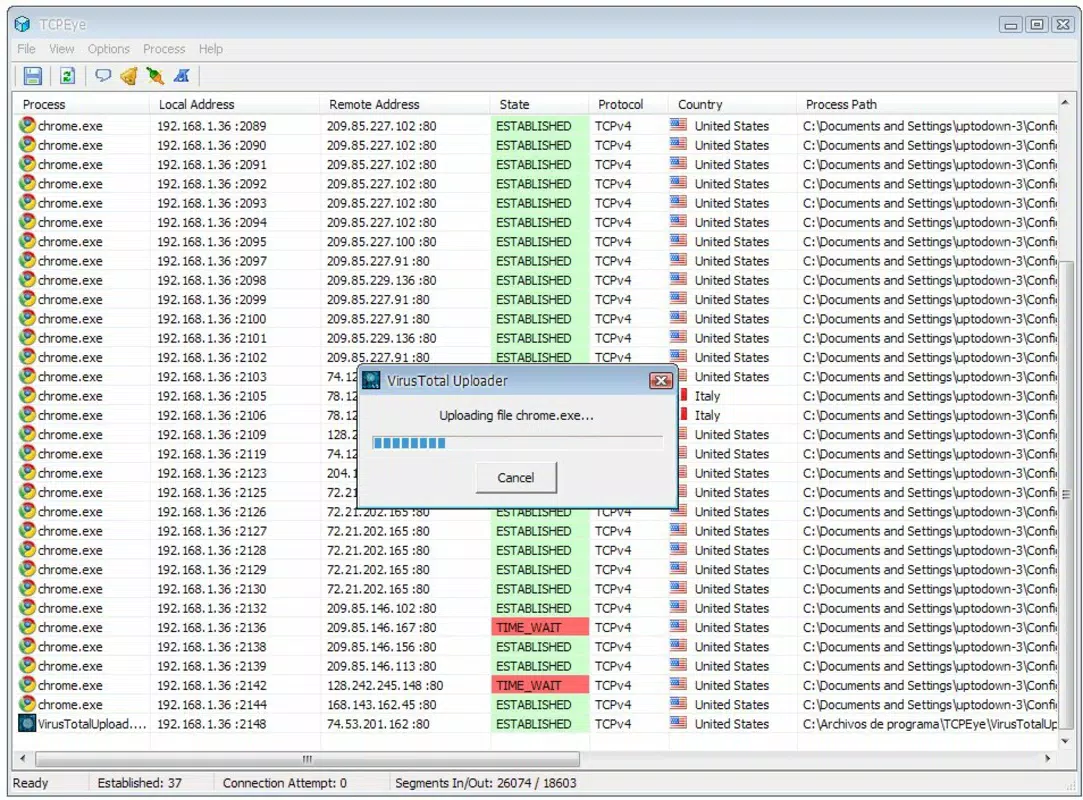
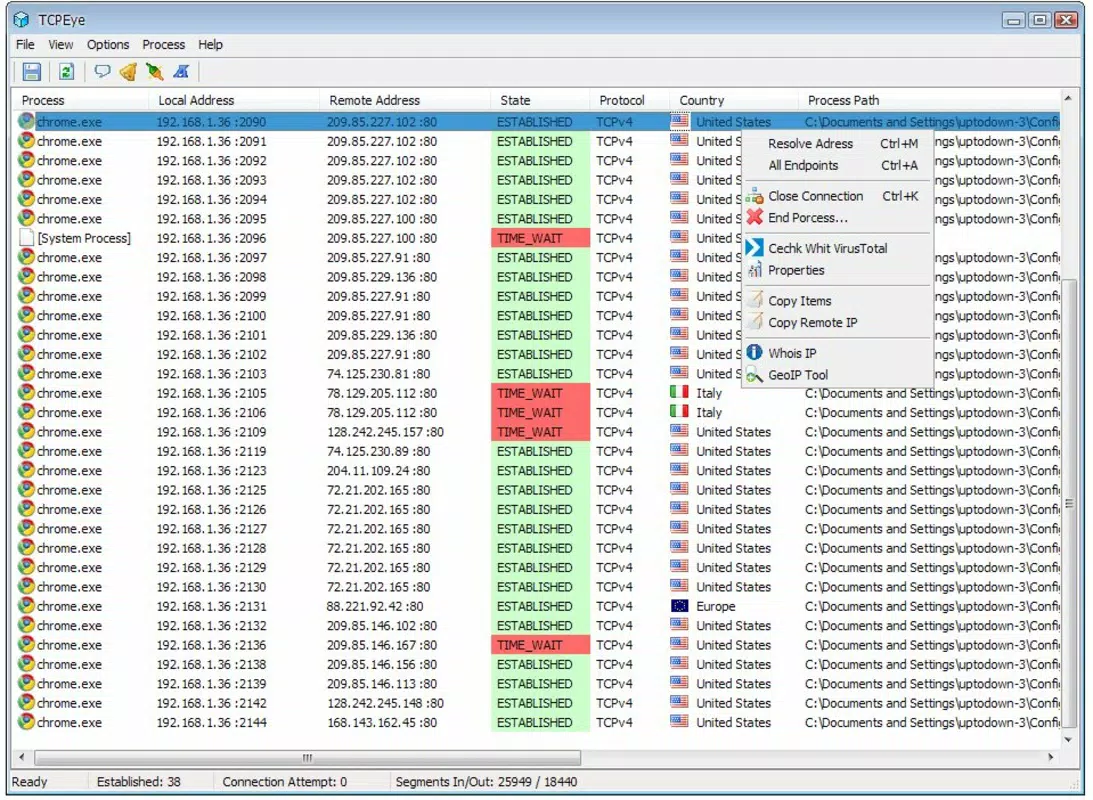
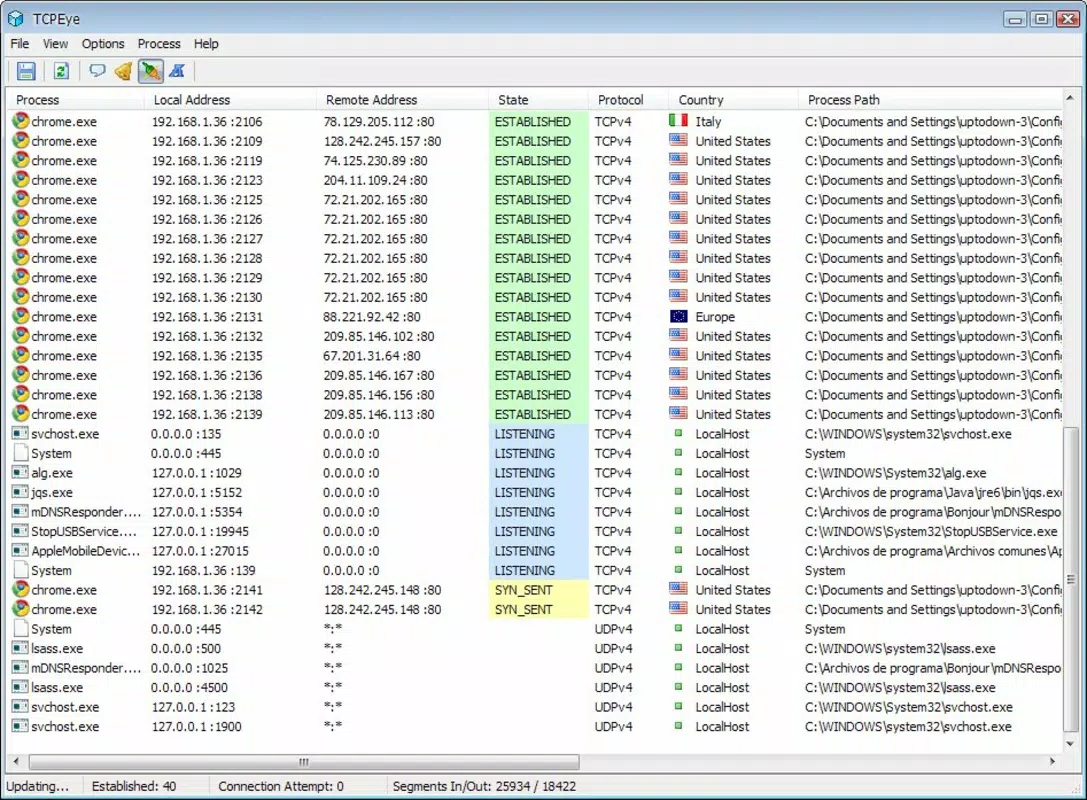
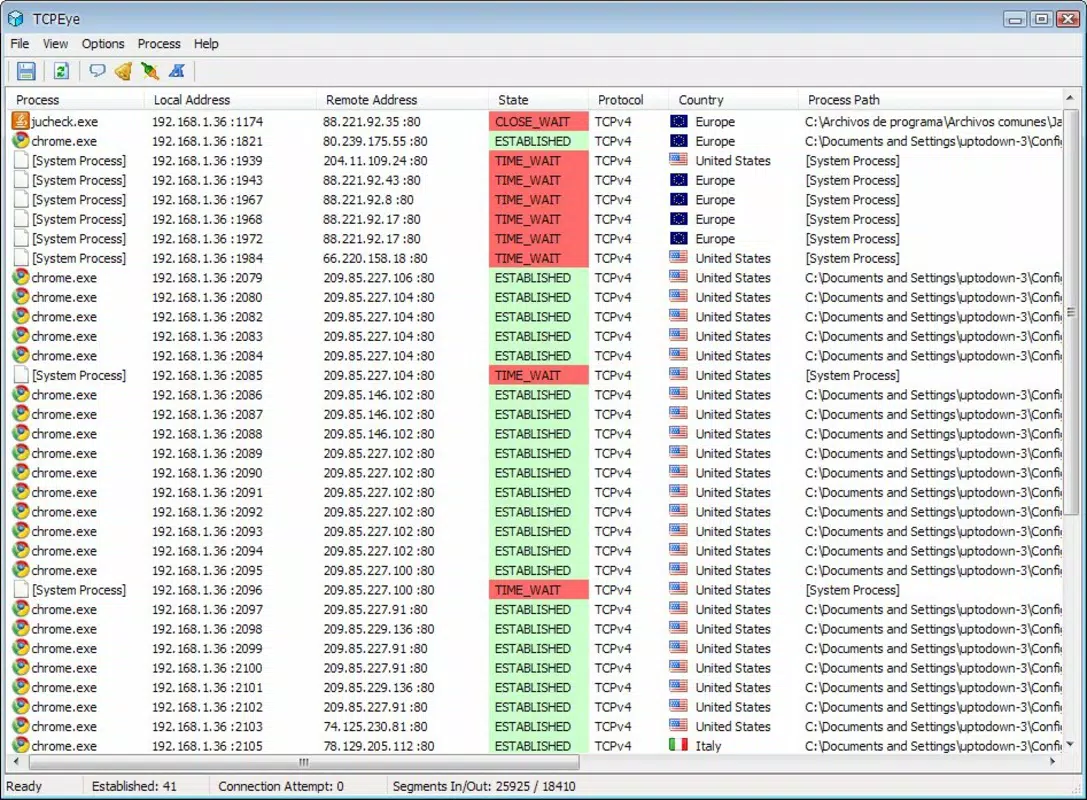
- Comprehensive Port List: TCPEye displays all active TCP/IP and UDP ports on the device, providing a full inventory of network connections. This feature enables users to see every point of external or internal communication, which is essential for diagnosing connectivity issues or identifying unexpected network traffic.
- Detailed Port Information: Each port entry includes critical data such as IP address, port number, protocol type (TCP/UDP), and associated process or user. This level of detail allows users to trace connections back to specific applications or services, improving accountability and security awareness.
- Suspicious Port Detection: The app highlights unknown or unregistered ports in pink, drawing immediate attention to potentially malicious or unauthorized activity. This visual alert system supports proactive threat detection without requiring deep technical expertise.
- Process Termination Feature: Users can stop any process linked to an open port with a single tap. This functionality empowers users to respond instantly to potential threats, reducing the risk of data leakage or unauthorized access.
- User-Friendly Interface: Despite its advanced capabilities, the app maintains a clean, intuitive layout. Navigation is straightforward, making it accessible even to users with limited networking knowledge, while still offering depth for experienced users.
For example, a user noticing an unexpected outbound connection on port 4444 might use TCPEye to inspect the associated process, confirm it’s legitimate, and terminate it if necessary. This real-time responsiveness is ideal for securing personal devices or auditing network behavior in shared environments.
Interface, UX & Performance
The user interface of TCPEye Network Tools is designed with clarity and functionality in mind. The layout presents port data in a structured table format, prioritizing readability and quick scanning. Key fields such as port number, protocol, local and remote addresses, and process name are clearly labeled, minimizing cognitive load.
Navigation is linear and consistent, allowing users to access detailed views of individual connections without confusion. Although the developer did not list formal performance metrics, the app’s lightweight footprint of 3.4 MB suggests optimized resource usage. This makes it suitable for use on a wide range of Android devices, including older models with limited processing power.
Responsiveness appears to be consistent, with minimal lag during data refreshes. The app maintains stability during extended monitoring sessions, though specific testing across device categories was not disclosed. The absence of animations or excessive visual effects further contributes to its efficient operation.
Users can expect smooth interactions even on lower-end hardware. The app does not require high-end graphics capabilities, ensuring broad accessibility. Overall, the UX design reflects a mature, focused tool built for utility rather than aesthetics.
It prioritizes speed, accuracy, and ease of interpretation—critical traits for a security-focused application.
Platform Compatibility & Technical Requirements
TCPEye Network Tools is available exclusively on the Android platform. The current version is 1.2.1, with a file size of 3.4 MB, indicating a compact and efficient design. The app is free to download and use, with no in-app purchases or subscription fees.
Specific OS version requirements were not listed by the developer, so compatibility with newer or older Android versions remains unspecified. Similarly, the minimum hardware specifications or device types were not disclosed. The developer did not provide additional technical details about runtime dependencies or background service behavior.
While the app’s lightweight nature suggests broad compatibility, users are advised to verify functionality on their specific device model. Although the app has been available since 2011, its current support status and update frequency are not documented. For users seeking a reliable network monitoring solution on Android, TCPEye remains a viable option, especially for those who value simplicity and direct access to network data.
Pros and Cons
Pros
- Lightweight size (3.4 MB) ensures fast installation and minimal storage impact.
- Free to download and use with no hidden costs.
- Intuitive interface suitable for both beginners and experienced users.
- Real-time monitoring of open TCP/IP and UDP ports.
- Visual alert system for suspicious or unknown ports.
- Immediate process termination capability for threat mitigation.
Cons
- Specific OS requirements were not listed by the developer.
- Compatibility with modern Android versions is not confirmed.
- No information on update frequency or long-term maintenance.
- Limited visual feedback or reporting features beyond basic port listing.
- Developer details are minimal; no official website or support channel provided.
FAQ
Is TCPEye Network Tools safe to install on Android?
Yes, the app is free and does not require root access. However, users should ensure they download it from a trusted source to avoid tampered versions.
Can TCPEye be used on iOS devices?
No, the app is currently only available for Android. There is no official iOS version available.
Does TCPEye require root access?
The developer did not specify whether root access is required. Based on its functionality, it may operate without root, but this cannot be confirmed.
How often does TCPEye update its port database?
Specific update details were not provided. The app relies on system-level port information rather than an external database.
Can TCPEye help protect against malware?
Yes, by identifying suspicious or unknown ports, TCPEye can help users detect potential malware activity and take immediate action to terminate related processes.
Final Thoughts
TCPEye Network Tools remains a dependable utility for Android users seeking to monitor their device’s network activity with precision. Its ability to display open ports, provide detailed process information, and flag suspicious connections makes it a valuable asset for enhancing personal security. While the app lacks modern UI polish and detailed documentation, its core functionality is robust and purpose-built.
The free model, combined with its low resource consumption, makes it accessible to a wide audience. Users who prioritize network transparency and quick threat response will find TCPEye particularly beneficial. Whether you're troubleshooting connectivity issues or auditing your device’s security posture, this tool delivers tangible value.
For those in need of a straightforward, no-frills network monitoring solution, TCPEye continues to hold its ground. Download TCPEye Network Tools now.


